Document seal
Demo video: Certificate and QR
“Official Heartwood Library demonstration video, published on the @HeartwoodLibrary YouTube channel. Any copy of the file can be verified against this fingerprint, forever.”
Sealed document: demo4-certificate-qr.mp4 (the document itself is not published; its sha256 fingerprint below is what the author sealed).
Check your copy
Have the document? Choose it and the fingerprint is computed here in your browser; nothing is uploaded.
Verify without trusting this server
The proof bundle contains the sealed block, the author’s public key, and the exact recipes. The verifier is a single dependency-free script; read it before you run it.
Proof bundle (JSON)Independent verifier (node)Signed chain tipRaw chainOpen protocol spec
node verify-seal.js proof.json --document your-file
Embed the badge
Place this next to the statement on any site; it links readers back to this certificate.
<a href="https://heartwoodlibrary.org/seal/4577c935aae0d5dda03775c24ed74d46c95d77d75223d797d4c442ce91096f08"><img src="https://heartwoodlibrary.org/badge/4577c935aae0d5dda03775c24ed74d46c95d77d75223d797d4c442ce91096f08.svg" alt="Sealed in Heartwood Library" width="252" height="36"></a>

Print the QR on the document
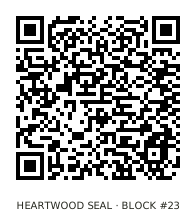
The QR encodes this certificate’s address, so any phone camera becomes the verification entry point: print it on the cover page, the report footer, the poster. Scan, land here, check the copy. No app needed.